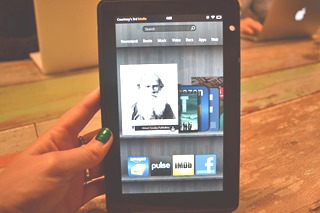
E-book usability news: Adjustable line spacing now on the Kindle Fire HD 8.9” and perhaps other Fire HDs—although I still can’t narrow the spaces sufficiently

kindlefire89LibraryCity knocked Amazon for not letting users of the Kindle Fire HDs adjust their line spacing. But guess what I noticed just now within the font-related submenu of my Kindle HD 8.9” model running version 8.3.1 firmware?

Alas, on my several files tested, I still couldn’t narrow the spaces sufficiently on the HD even though the Kindle app for Android, as in previous versions for my Nexus 10, pulled off this trick just fine. Apologies if the HD improvement is old news, but Amazon pushes out updates automatically, and this is the first time I myself became aware of the line-spacing change. May Amazon soon get the line-spacing act right for all its Fires! Just offer the same flexibility as on the Nexus 10. I assume that smaller HDs have the same current improvement as my 8.9” model does, but I don’t know.

On another matter, in case you missed the news elsewhere, kudos to Amazon for adding voiceover to Kindle’s iPhone and iPad apps—following complaints here and elsewhere. Will this feature show up on all platforms where the hardware allows? Still on LibraryCity’s usability agenda for Amazon (among other dreams):

Continue reading »

Send to Kindle
LibraryCity , , , , , , , , , , Leave a comment

Voice Dream e-reading app: Stellar for text to speech—and promising as a general reader

The latest: An update of this post focuses on education-related issues of read-aloud apps. Also, I’ve just tried a promising Voice Dream beta with paging; more to come. Finally, NPR on May 20 ran a segment on developer Winston Chen. – D.R.

VoiceDreamGeneralA Catch-22 dogs those of us who most often read e-books visually but also want to hear them when we’re exercising or driving.

The usual e-bookware doesn’t always come with or work with text to speech capabilities. Even if it does, we can’t control the aural part as closely as we’d prefer.

I myself like the Moon+ Reader Pro Android app, and I’m in love with the added-on “Amy” voice, a British-accented delight from another developer, Ivona, now an arm of Amazon. But I can’t revisit already-viewed text quickly enough while I’m hearing audio by way of the Moon-Ivona combo.

A special read-aloud program isn’t the ultimate answer, either, since I’ll then be stuck with a weak app for general use. Even based solely on text-to-speech performance, in fact, this category of software can disappoint.

Enter the Voice Dream Reader app for iPads, iPhones and iPod Touches. At $10 it’s more expensive than the average app but provides enough value to justify the cost.

Winston Chen (family photo below), a Boston-area man and a middle-aged IBM alum, created VoiceDream during a year’s stay on an Arctic island where his wife was teaching. Voice Dream is not a full solution to the above dilemma. But it comes enticingly close, letting me e-mail notes and snippets and enjoy some other important features of a full-strength reading app for general use—while at the same time giving me more precise control over the spoken text than other TTS alternatives do in the iOS world. Significantly, more book-like paging is on the way as an alternative to the existing scrolling. (Update, May 13: Sure enough, a just-related beta has paging—I’ve tried it and will say more about this and other features in the next day or so.)

ChenArticA list of Voice Dream’s glories is here. The app even includes its own Web browser, as well as the ability to find and download Project Gutenberg books with minimal fuss, and Chen tells me he’s open to working with the Digital Public Library of America by way of an API, which could mean similar capabilities. Voice Dream even hooks into Dropbox’s search feature. And print-impaired people using Bookshare can also benefit from integration.

The list of positives goes on and on. I still pang for the charming “Amy” to show up in Voice Dream despite her Amazon connection and the risk that the company monopolistic tendencies will overcome a genuine chance to earn goodwill. Hey, Jeff! You can do the right thing. But meanwhile VD—there, I said it; sorry!—offers a built-in Acapella speech engine and a free “Heather,” an American-accented voice. You can still hear the robot in “Heather,” but she is almost as good as “Amy” (herself not quite 100 percent human-sounding). At least 60 voices in 20 languages are available for a few dollars each: “English, Mandarin Chinese, Japanese, Spanish, French, German, Italian, Swedish, Danish, Norwegian, Finnish, Dutch, Portuguese, Russian, Czech, Catalan, Polish, Turkish, Greek, and Arabic.” More languages and other major enhancements for Voice Dream, as both a visual and audio reader, are on the way, including a mode to enjoy books one page at a time rather than scrolling.

InstapaperVoiceDreamAlready Voice Dream is living up to its name for members of the accessibility community, in addition to those without disabilities.

Not everyone likes everything in the app, to go by the reviews of the paid version in the Apple app store, even if the average rating is a respectable four-star plus. Still, compared to other iOS apps that allow aural reading from a wide variety of books, this one shines. vBookz EPub and VBookz PDF, for example, as far as I can determine, will not let you take notes, and Blio won’t allow you to export your notes to email, your printer, or other destinations, as Voice Dream does.

Mind you, the other products are far from losers; Blio offers multimedia capabilities, for example. But if you especially value accessibility mixed with annotation- and sharing-related features—“musts” for truly superior software in such areas as the upper grades in K-12—then Voice Dream is the champ. vBookz and Blio can’t seamlessly pick up items for reading from Instapaper or the Web (the screenshot shows the Voice Dream library filtered to display only Instapaper items—double-click for a better view). What’s more, those rivals lack Voice Dream’s rich selection of dozens of optional voices, selling for just a few bucks a throw.

Furthermore, Voice Dream’s promo says it can read ePub, PDF (though some complain it isn’t true to the appearance of source PDF—which would be a nice option, if Chen could offer it, even if it meant that TTS wouldn’t work while you were in that mode), Word, RTF, Apple Page, PowerPoint, .txt, and HTML.

Continue reading »

Send to Kindle
eBooks, Social media , , , , , , , , , , , , , , , , Leave a comment

Amazon’s book city #1 avoids cuts in library hours but still might reduce its library book budget—already below the U.S. per-capita average

Update, May 7: The missing $56K for materials was restored in the final version of the budget last night. Kudos to all the library advocates who spoke up! See, it’s worth the time! – D.R.

allisonsilberbergNow it’s definite. Alexandria, VAhonored as Amazon’s “most well-read” city in the U.S. despite ample evidence to the contrary, especially among our many low-income people—won’t have to cut library hours.

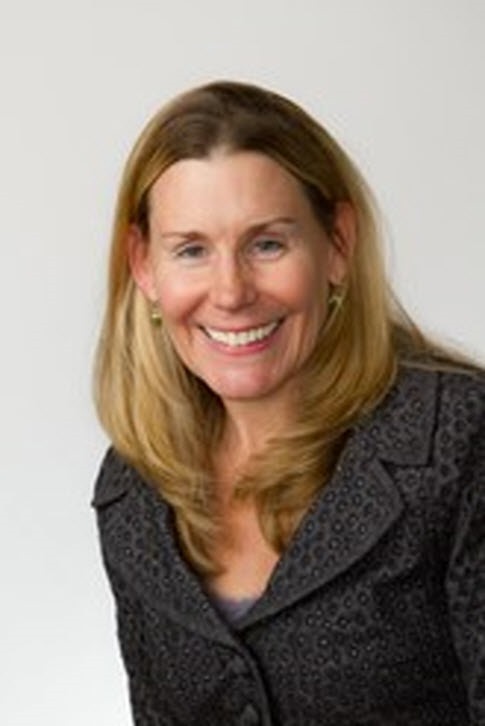
Vice Mayor Allison Silberberg, a council and library board member, too, has emailed me: “Due to the Library Board’s incredible efforts to find other funds and adjust personnel, the library hours will not be cut, as originally proposed." Still open is the pesky issue of Alexandria’s per-capita spending on library materials (around $3.25) being under the national average (probably over $4 right now). Despite this, the draft city budget proposes a $56,000 cut in the budget for books and other content.

Ms. Silberberg sensibly asks why Alexandria would “have a $7 million library system and then decide not to fund $56,000 to maintain the book materials and collection. I have listed this item in my Add/Delete list for our city’s budget.” The $56K is around an eighth of the library budget itself. The total proposed 2014 budget for Alexandria is about $627 million, with the adoption vote scheduled at 7 p.m. Monday, May 6. Alexandrians can speak out here.

Significantly, Alexandria is a well-off city with a $102,435 median family income and its share of BMWs and million-dollar-plus houses despite the 14 percent of under-18 residents living in poverty. Imagine the poorer localities that could far less easily come up with the equivalent of the now-AWOL $56K.

Ideally, then, as an expert on both public policy and nonprofits, such as the ones written about in her book Visionaries in Our Midst, Ms. Silberberg will support LibraryCity.org’s proposal for a national digital library endowment (also discussed on The Atlantic’s site). It could be a nonprofit. But  the endowment would be most effective as a public agency making a better connection between the library world and wealthy philanthropists, who would enjoy well-publicized national recognition from the White House and Congress.

Not every city in the U.S. or its territories comes with a deep-pocketed givers like Bill Gates, and in the 2009 fiscal year, Guam spent just 16 cents on library content. Even Gates Foundation has not meaningfully funded libraries’ acquisitions of actual e-books. Yes, money could go for other purposes, such as the Web-era-related professional development of school librarians, besieged in so many cities (latest horror story from Philadelphia here). The endowment could even help the very poorest of our poor communities hire a few more school librarians than otherwise, as well as help address library-related digital divide issues.

Council member Justin Wilson has already endorsed the basic endowment idea, which is crafted to minimize conflicts with local fund-raising efforts such as those we have in Alexandria. As I see it, the Alexandria City Council could make its mark on national policy and draw positive attention in the media by way of a formal resolution urging the White House and Congress to create the endowment. If need be—I hope this changes, when Washington is no longer so austerity-fixated—the initial costs to the taxpayers could be next to nothing since funding would come from the private side.

Also of interest: Is your local library budget about to be slashed? Here’s an example of how you can fight back.

Send to Kindle
eBooks , , , , , , , , , , , Leave a comment

Cut in Alexandria, VA, library hours not needed, says city staff memo. Also: Councilman Justin Wilson endorses LibraryCity’s national digital library endowment plan

JustinWilsonPhotoJustin Wilson, a councilman in Alexandria, VA, Amazon’s “most well-read” city, now threatened with a reduction in library hours, has shared a city staff memo saying that the hours cuts aren’t necessary. He says the library board will have the final say. Would board members challenge the memo? I’ll try to reach Board Chair Kathleen Schloeder for an answer. Meanwhile see page four of the actual staff document (PDF here).

Still definitely left open is the issue of funding for library materials, which, under the proposed budget so far, would take a $56K hit. Alexandria’s spending in this area is already considerably under national and state averages, so, if you live in this well-off Washington, D.C., suburb, speak out before the council locks up the budget in early May. In fact, the add/delete session on the library budget is tonight, and so far the cutters are winning. Immediate action from library advocates, please!

On another matter, Council member Wilson is gung ho on the national digital endowment concept LibraryCity has been advocating. “I think the idea of leveraging additional private resources for our libraries—both nationally and locally—is a wonderful idea,” he emailed me. “As you may know, the Alexandria Library system relies on donations from the Library Foundation, and the numerous ‘Friends’ groups around the City." Exactly! And the national endowment proposal is crafted in a way to help, not complete with, these essential local efforts.

Continue reading »

Send to Kindle
Uncategorized , , , , , , , , , Leave a comment

Is your local library budget about to be slashed? Here’s an example of how you can fight back

This letter has gone to Mayor William Euille (photo below, contact information here for him and other top officials) in Alexandria, VA, the town that Amazon inaccurately depicted as America’s book city #1. Also see a local Friends group’s talking points for library advocates—and the other side: a city staff memo saying the library board can avoid a reduction in library hours. – D.R. (updated 11:25 p.m.)

william euille

Even in cold-blooded business terms, the proposed library cuts in Alexandria don’t make sense—neither the trimmed hours nor the stinginess toward paper books, e-books and other items

What’s the better scenario for the taxpayers in the end? Alexandrians on welfare (or drawing the minimum wage)? Or motivated citizens given a decent chance to upgrade their reading and other skills during hours convenient to working people?

In a city with a proposed $626-million budget and an abundance of $1-million-plus houses containing 50-inch flat-screen televisions and pricey Colonial-era antiques, the slashing of some $150,000 from the people and books budgets would hardly be a wise route to fiscal sanity. I’ll offer a better solution, a library-linked real estate surtax limited to the citizens who can truly afford it.

Doubt the need? The Alexandria Library’s per capita budget for books and other content was just $3.25 for the 2012 fiscal year, less than the cost of a Big Mac hamburger. My sympathy goes out to the library’s director, Rose Dawson (yes, same as the Titanic heroine), who I’m confident is trying to do her best with the resources available. The $3.25 is less than the $4.22-per-capita spending for America’s libraries as a whole in FY 2010, per statistics from the Institute of Museum and Library Services, as well as the $3.77 Virginia average. Alas, the misguided economizing makes a mockery of Amazon’s ranking of Alexandria as America’s “most well-read” city of more than 100,000. This in a city where most of the high school students qualify for school lunches and, as I’ve noted on the LibraryCity.org site, aren’t exactly raised by Dickens-and-Austen-loving parents! While I favor the creation of a national digital library endowment (http://librarycity.org/?p=6933), it would be no replacement for robust local support of public libraries here or elsewhere.

Continue reading »

Send to Kindle
Uncategorized , , , , , , , , , , Leave a comment

Amazon’s book city #1, Alexandria, VA, may cut library hours: Time for a digital-era national endowment to help ease U.S. libraries’ financial woes?

Update: We won! Library advocates successfully fought cuts in hours and the materials budget.

AmazonAlexandriaLeaving us in the dark about the source of this tidbit, a Washington Post headline in the Style section blog says: “Alexandria, Virginia: the most well-read city in America.”

Similar words show up elsewhere in the media about my hometown, the oft-paradoxical Washington suburb of some 146,000 where a bronze Confederate soldier stands in the middle of Washington Street despite an African-American mayor and a generally progressive city council.

Alas, however, our #1 ranking isn’t based on actual books and other items read per capita.

Rather our spot at the top reflects what the Post accurately mentions in the third paragraph. That’s per-capita “sales data of all book, magazine and newspaper sales of both the dead-tree and Kindle variety since June 1, 2012,” in cities of more than 100,000 inhabitants. Just one company, Amazon, gave us our new intellectual honors, from its own statistics alone. No one else. Not the U.S. Department of Education or the Census Bureau. Not Harvard researchers. Not Mensa. Not the New York Times or the New Yorker or the New York Review of Books. Not Jehovah Himself. But you’d never guess that from the headline, and my local boosterism will go only so far.

Old_Town_AlexandriaI cherish the postcard-scenic stretches of the Potomac waterfront and the wealth of history in this town where George Washington whooped it up at Gadsby Tavern and prayed at Christ Church on the street now named after him. But geo-loyalties notwithstanding, I’ll still email an editor at the Post and request a retraction or at least clarification of the glib headline, in the interest of throttling down complacency. I spoke to a library staffer here. She’s appalled, too, and her colleagues undoubtedly agree even if the Amazon honor is a handy way to show the demand for library books among those already sold on reading. I’m writing this essay to save the rest of the city and the world at large from Amazon’s reality-bending machine. No, Alexandria isn’t rural Mississippi. But it would be an absolute lie to say we’re the #1 book citadel. We might not even be in the very first tier as a reading town when you consider the population as a whole rather than the wired citizens like me who frequent Amazon. Remember the digital divide? Well, it’s alive and well along with a continuing print divide.

Forget the Amazon hype. Books-A-Million couldn’t cut it regardless of a prime location on King Street up the hill from the Potomac, and I doubt that sales lost to Jeff Bezos and his crew were the only reason. What’s more, although we have a Barnes & Noble and at least one stand-out bookstore for kids, the city hardly teems with general-interest indie bookstores selling new books, at least not by Manhattan or Seattle standards.

Continue reading »

Send to Kindle
eBooks , , , , , , , , , , , , , , , , , , 1 Comment

Promising DPLA debut—but please don’t confuse special-collection items, exhibits and APIs with a full-fledged ‘public library’ demo

dplaLiveA caveat first. The Digital Public Library of America is evolving.

What’s more, I’m a booster of the organization and of the people behind it, including the new executive director, Dan Cohen, who so decently reacted after the Boston Marathon bombings.

But for now, the academic-and-hacker mindset is prevailing at the DPLA over the traditional public library one, judging from the demo’s worthy but rather limited debut today. Not necessarily a bad thing, mind you. But then, why insist on the P word in the organization’s name? Also, the K-12 appeal so far is not quite as great as I’d hoped despite some terrific exceptions. More positively, the DPLA has given us a promising blend of special-collection items, mixed with welcome wrinkles such as ways to narrow a search by a timeline or geography. I’m looking forward to many more items in the same vein, just like those of Europeana, which links to more than 22 million books, films and other digital content at participating libraries. One of my favorite novelists, the not-so-fashionable but (to me) readable Sinclair Lewis, even shows up in the DPLA catalog by way of correspondence with his actress girlfriend.

Let me note the DPLA’s other strengths—for example, still more goodies which you’ll never find at a typical local public or K-12 library, and which might be excellent additions to its collection, by way of APIs, linking, or pickups of unencumbered source content from institutions ranging from the Smithsonian to Harvard. The DPLA stores relatively little but rather links to its gems and laudably shares the Web addresses of the target pages—it offers more than two million items. Especially I appreciated an app that would let me search both the DPLA and Europeana collections at once. I did not find a single item on George Gissing, the Victorian novelist, within the DPLA itself. But 14 results popped up from Europeana.

Continue reading »

Send to Kindle
eBooks , , , , , , , , , , , , , 2 Comments

LibraryCity’s take on K-12 libraries and the Digital Public Library of America

edtecharticleYes, LibraryCity has been on an S. R. Ranganathan kick lately (here and here).

Still ahead is a DPLA-related essay on his Five Laws of Library Science as applied to K-12, including school libraries—a follow-up to the LibraryCity post by Apple Distinguished Educator Donald R. Smith, a teacher-librarian with 40 years of experience. If you want to share any relevant thoughts for the next Ranganathan-inspired essay, just e-mail LibraryCity or use the comments area of this post. The essay should be online in the next week or two, after some crucial research materials arrive.

Meanwhile—some other ideas on K-12-related matters. The DPLA should work with state and local libraries toward the creation of a public national digital system with a strong K-12 component. The public system should cooperate with but be separate from the mostly higher-ed-oriented system that the DPLA seems eager to create despite some good work in the K-12 area.

Don’t let the university dog wag the public tail. Both count, so, no, the metaphor isn’t exact. Still, I fear that academics and friends are imposing their ways on the rest of the world or at least accidentally shortchanging it.

Consider this example in a K-12 context: Harvard Prof. Robert Darnton, the originator of the DPLA idea, says in the New York Review of Books that experts could update some math and agronomy books and others in the public domain. Excellent. I also like DPLA leader John Palfrey’s vision of the DPLA providing shared resources to help schools meet the new Common Core Standards (Core site here). Both ideas would cut schools’ content costs for those items. And yet they are hardly a full-fledged solution, even with plenty else thrown in. Schools, for example, may find that software apps written from scratch, not traditional textbooks and reference works, are the answer in more than a few math-related situations.

Continue reading »

Send to Kindle
eBooks, LibraryCity, National Digital Public Library , , , , , , , , , , , , , , , , Leave a comment

Sad fate of ‘Five Laws’ book shows need for DPLA-related efforts to keep old masterpieces alive

googleLawsOh, the irony! In The Five Laws of Library Science, S. R. Ranganathan argued in the 1930s for libraries as improvers of life for rich and poor alike. Now Google Books has digitized 30 million titles, but you won’t find Laws on the Web in its entirety from Google at any price.

You’ll see a teaser instead, just snippets and descriptions of commercially sold paper editions.

If you go to Laws’s listings at Amazon, you’ll notice that the price of a new hardback edition now starts at $45.95 from a third-party seller, plus the $3.99 shipping. Just one new hardback copy is in stock from Amazon itself, for $54.99 with free Prime shipping. Amazon itself doesn’t carry the paperback right now.

The fate of Laws is one reason why I am so pleased—despite the need for separate national digital library systems for the respective patrons of public and academic libraries, not just “one big tent”—that the Digital Public Library of America will launch its demo project on April 18. May the DPLA if possible get Laws online for free access! Via the New York Review of Books, you can read more from Robert Darnton, who proposed the DPLA. From this promising debut, I hope that the DPLA will eventually fork itself into two tightly intertwined library systems focused on the needs of their mostly different constituencies in ways that honor Ranganathan’s memory. In fact, state and local libraries could originate the public system, carefully safeguarding their autonomy.

fivelawsMeanwhile—a wonderful twist! It turns out that via the HathiTrust, a DPLA partner, an e-book version of Laws is already downloadable at no cost. I don’t know the full legal situation but see a Creative Commons license that allows noncommercial reproductions with attribution, but not derivative works. Is Hathi treating Laws as an orphan? Laws came out in 1931, a year still covered in the United States by the Sonny Bono Copyright Term Extension Act. Whatever the case, I’m ticked that the Laws is out there, complete with its famous precepts that libraries must help connect readers with books and books with readers. Given the miserable ranking of Laws on Amazon, however, I wonder how many young LIS scholars have read the actual book version of the Ranganathan’s wisdom, including the first law: “Books are for use.” Sad. I’d urge the students to download copies from Hathi directly or, after the debut, by way of the DPLA link. Ranganathan’s Laws is source material with well-crafted anecdotes that make his wisdom still fresh after eight decades, and it is not that hard to extrapolate from “books” to “e-books” or “Web sites.”

Continue reading »

Send to Kindle
eBooks, National Digital Public Library , , , , , , , , , , , , , , , , , Leave a comment

How a national digital library system could serve K-12: A veteran teacher and school librarian speaks out

Donald R. Smith spent 40 years as a public and private school teacher and as a school librarian. A Brown University graduate living in Howell, New Jersey, he is an Apple Distinguished Educator (“’Class’ of 1995,” the first). Also see other thoughts on the DPLA and K-12. – D.R.

DonaldSmithIn responding to your concerns for the development of a national digital library system that will meet the needs of the world beyond higher education, I must start out with an insight from my experience.

Particularly in the K-12 world there was a need for products to solve problems encountered daily in the classroom. Most teachers are searching for solutions which can be readily adapted to their students’ immediate needs.

Teachers want products and processes which will help them and their students meet local, state, and federal requirements in a timely way. Their world is totally different from mine when I began teaching decades ago. There were no national or state-imposed standards then. What happened in the classroom almost totally reflected the resources that were locally available, as well as the wishes of the school board. Students did not always receive the best education.

In proposing a statement of purpose for a National Digital Library I was simply seeking to state in a few sentences reasons which would describe a system that would better emphasize the real needs of our educational community and the citizen who is a product of it. I know that the scientific research and R&D communities need inclusion, but I’m really concerned about how my clients—our kids and their parents—are going to utilize the National Digital Library.

Continue reading »

Send to Kindle
National Digital Public Library , , , , , , , , Leave a comment

Beyond a ‘Digital Attic’: How the DPLA can honor the Five Laws of Library Science—and help libraries in Orange County, Florida

S._R._RanganathanThis is the era of bits and bytes and multimedia and 3D printing, not just books and other texts. But Shiyali Ramamrita Ranganathan’s Five Laws of Library Science would still apply today in spirit even after more than eighty years.

Educated originally as a mathematician, S. R. Ranganathan was a library-science genius who studied librarianship in Great Britain and worked as the librarian at the University of Madras. Accurately or not, he is said to have beaten out 900 competitors for the job. He peppered his writings with Indian philosophy, dressed Ghandi-simple, and avoided coffee and tea.

His laws, spelled out in a 1931 book available from the HathiTrust in full text, are: 1. “Books are for use.” 2. “Every reader his book” or her book. 3. “Every book its reader.” 4. “Save the time of the reader.” 5. “The library is a growing mechanism.” Reincarnated, what would this law-giver think of the Digital Public Library of America initiative out of Harvard—more a creature of the academic world than of our public libraries? In his opinion, would the current DPLA vision be addressing the America’s most pressing library needs in such areas as popular content, K-12, and family literacy?

I have many doubts, alas, even as a DPLA proponent. Later in this post, I’ll do my best to analyze the extent of the DPLA’s present compliance with all five laws. For now, though, here’s an extremely apropos headline in the Orlando Sentinel, run March 23 and spotted by TeleRead’s Susan Lulgjuraj: Soaring e-book demand strains Central Florida library budgets. This is the very stuff that the DPLA should fixate on if it is to honor Ranganathan’s second law. Walter Pacheco writes in the Sentinel:

For 25 years, Jennifer Krantz had been a frequent visitor to Orange County libraries, borrowing everything from mysteries to cookbooks to romance novels.

But since her boyfriend bought her an Amazon Kindle Fire tablet at Christmas, Krantz, 37, now rarely steps inside a public library.

“The library’s e-book service is great because I don’t have to park, walk to the library, find the book and check it out,” said the accountant. “The only complaint I have is that I have to wait longer than usual for an e-book because the library seems to stock few digital copies of the titles I want.”

Krantz represents a growing number of Central Florida readers depending on their public libraries to fuel their consumption of e-books, downloadable audiobooks and other digital media. At the same time, librarians across the Orlando area are scrambling to meet that increasing demand while facing rising e-book costs and budget cuts.

Why doesn’t the DPLA as an organization care more about about Floridians’ needs, especially in regard to Law #2, “Every reader his book”? What about the many readers like Terrence Johnson, a 30-year-old Orlando man and Kindle user? “The wait for the e-book is a little frustrating,” he told the Sentinel. “I know I can head to the library and check out the print book, but I really don’t like reading the print version.”

Continue reading »

Send to Kindle
eBooks, National Digital Public Library , , , , , , , , , 2 Comments

Later today at LibraryCity.org: The DPLA and the Five Laws of Library Science

DIGITAL CAMERA     If Shiyali Ramamrita Ranganathan were alive, what would he think of the Digital Public Library of America? Is the DPLA’s present vision in line with his Five Laws of Library Science? Later today, Washington, D.C., time. (Update: Online late Saturday.)

For now, enjoy the holidays. And while you’re at it, check out a child-oriented library blog, from Simferopol in the Ukraine, where the librarians are taking a very family-friendly approach to literacy—exactly the sort of local effort that the DPLA and other national library organizations everywhere should encourage no matter what the medium, e-book or paper book. Thanks, Google Translate!

Send to Kindle
Uncategorized , , , , , , , , , Leave a comment